

Tower of Fantasy has undergone significant changes since the release of version 2.0, transforming both the technical foundation and the overall gameplay experience on mobile devices. The update was not limited to cosmetic improvements; it introduced a new region, refined combat systems, optimised performance, and expanded social mechanics. For players returning to the game or considering starting in 2026, understanding these updates is essential to see how the project has evolved beyond its original launch state.
Expansion of the World and New Exploration Mechanics
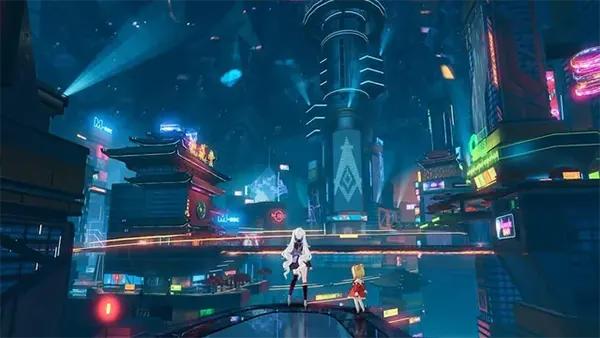
One of the most noticeable changes introduced with version 2.0 was the addition of the Vera region, which significantly expanded the game world. Unlike the original Aesperia map, Vera offers a harsher environment with desert landscapes and cyberpunk-inspired cities such as Mirroria. This shift not only adds visual diversity but also introduces new environmental challenges that affect exploration strategies.
The developers reworked exploration systems to make traversal smoother on mobile devices. Jetpacks, mounts, and relics became more responsive, while vertical movement received noticeable improvements. This is particularly important for mobile players, where control precision can be more limited compared to PC platforms.
Hidden quests, dynamic events, and collectible systems were also expanded. Players now encounter more spontaneous activities in the open world, which helps reduce repetition and adds variety to routine exploration sessions.
Changes in Map Design and Player Interaction
The map design philosophy shifted towards layered environments. Instead of wide open spaces alone, players now navigate multi-level areas with underground zones, vertical structures, and interactive city hubs. This design encourages more deliberate movement rather than simple waypoint chasing.
Mirroria, the central hub of Vera, functions as more than just a location. It acts as a social space where players can access shops, participate in mini-games, and interact with other users. This reflects a broader focus on community-driven gameplay.
Additionally, navigation tools such as improved minimaps and clearer quest markers make it easier to explore on smaller screens. These adjustments show a clear effort to optimise usability for mobile audiences without simplifying the core mechanics.
Combat System Improvements and Weapon Balance
Combat in Tower of Fantasy 2.0 received a series of refinements aimed at making battles more responsive and strategic. Animations were smoothed out, reducing delays between attacks and improving overall fluidity. This is particularly noticeable during weapon switching and combo execution.
The balancing of weapons and elemental systems became more structured. Previously dominant builds were adjusted, and underused weapons received buffs. As a result, players now have more viable options when assembling their loadouts.
Enemy behaviour was also updated. Bosses and elite enemies now feature more complex attack patterns, requiring better timing and positioning rather than relying purely on damage output.
New Strategies and Team Synergies
Team composition gained greater importance after the update. Elemental resonance effects and support roles became more clearly defined, encouraging cooperative play in group activities such as raids and joint operations.
Players now need to consider synergy between weapons rather than focusing on individual power levels. For example, combining crowd control abilities with burst damage can significantly improve efficiency in both PvE and PvP scenarios.
In addition, the introduction of new simulacra characters expanded tactical diversity. Each character brings unique abilities and passive bonuses, which influence how players approach different types of encounters.
Technical Optimisation and Mobile Performance
Version 2.0 addressed many technical issues that affected the mobile experience at launch. Frame rate stability improved across mid-range and high-end devices, while loading times were reduced through better asset management.
The graphics settings were expanded, allowing players to customise performance more precisely. Options such as dynamic resolution, shadow quality, and texture detail help users balance visual quality with device limitations.
Network optimisation also played a key role. Reduced latency and improved server synchronisation made combat and multiplayer interactions more consistent, especially in regions where connectivity had previously been unstable.
User Interface and Quality of Life Updates
The user interface was redesigned to improve accessibility on smaller screens. Menus became more intuitive, with clearer categorisation and fewer unnecessary steps when managing inventory, quests, and upgrades.
Auto-navigation and quick-access features were enhanced, making it easier to handle routine tasks without excessive manual input. This is particularly useful for daily missions and resource farming.
Finally, quality of life improvements such as better tutorial guidance and clearer progression systems make the game more approachable for new players while still offering depth for experienced users.