
Warframe arrived worldwide on Android on 18 February 2026 as the complete free-to-play action game rather than a limited companion app. The mobile edition carries the same missions, quests, equipment systems and ongoing updates as the other current versions, while Cross-Save lets an established Tenno continue with an existing account. This makes Android useful for daily tasks, short farming sessions and full missions away from a computer or console. The experience is still demanding for a phone, however. Fast movement, dense combat effects and detailed menus place more pressure on touch input, memory and cooling than most mobile games. A suitable device, sensible settings and a carefully arranged control layout therefore matter more than the minimum specification alone.
What Warframe Mobile Offers on Android in 2026
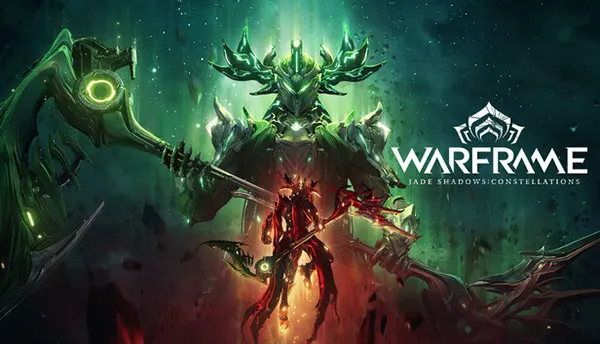
The Android release is a full version of Warframe, not a separate campaign with reduced content. Digital Extremes states that it uses the same public content build and follows the same update schedule as the game on PC, consoles and iOS. By July 2026, the Android patch history already includes the Vauban Heirloom release, The Shadowgrapher and Update 43: Jade Shadows: Constellations, followed by mobile hotfixes. This matters because Android players can take part in current quests, collect the same Warframes and weapons, join squads and work through the long-running story without maintaining a separate mobile character. New updates can still require additional downloads, so the actual storage used may grow beyond the original installation figure over time.
The initial Google Play download is roughly 4 GB. That package provides enough data for the opening tutorial, including Awakening and progress towards Vor’s Prize. After completing the early section, or after connecting an existing account through Cross-Save, the game requests about another 10 GB. Digital Extremes therefore lists the total app size at roughly 14 GB. In practice, a phone should have more free storage than this because Android needs working space for installation, unpacking files and later updates. Keeping several extra gigabytes available also reduces the risk of a failed patch. Warframe is updated frequently, so a device that is already close to full capacity can become inconvenient even when it technically has enough room for the first download.
The official minimum is a 64-bit Android device with an ARM64 processor, Android 12 or later and at least 4 GB of RAM. These conditions decide basic eligibility, but they do not promise consistently smooth play in every mission. Processor speed, graphics capability, memory management and thermal design differ greatly between phones that all meet the same written requirement. Google Play may also hide the game when a device or region is not supported. For a better everyday experience, recent mid-range and high-end hardware is the safer choice, particularly for open areas, busy public squads and effects-heavy encounters. Older eligible phones may still handle the tutorial and simpler missions, but they are more likely to need a reduced video resolution and shorter sessions.
Starting on Android Without Losing Existing Progress
A returning player should set up account linking before investing time in a new Android save. The process begins by installing the game, creating or signing into the required Android account and then visiting Account Management on the official Warframe website. From there, the Android account can be connected to the existing Cross-Save account. Once the connection is complete, the Android version can use the selected main account’s quests, inventory, ranks and other progression. This includes substantial systems such as Syndicate standing, Focus, Intrinsics, Helminth access and active Kuva Liches or Sisters of Parvos. The benefit is simple: a mission completed on a phone contributes to the same ongoing account used elsewhere rather than creating a second progression path.
The most important step is choosing the correct main account. Account linking is permanent, and the progress of the selected main account becomes the progress used across connected devices. A secondary account’s ordinary progression and inventory do not replace or combine with the main save. Digital Extremes ended the older account-merging option on 17 January 2025, so players setting up Android in 2026 can link accounts but cannot merge two separate histories into one combined inventory. Before confirming anything, check the displayed Mastery Rank, quest completion and account name. Players with years of progress should treat this screen as carefully as a permanent save transfer, because selecting a recently created Android profile as the main account could leave the intended veteran progress unavailable on the connected setup.
Cross-play complements shared progress by allowing Android users to join squads with friends using PC, PlayStation, Xbox, Nintendo Switch and iOS. Public matchmaking, chat, Relays and most normal co-operative missions work across these versions when cross-play is enabled in the settings. This is especially useful for an Android player who wants to complete a quick alert or relic run without waiting for a mobile-only group. Progress is stored through the online account, so a stable connection remains essential and Warframe should not be treated as an offline game. Mobile data can work, but large patches and long sessions are better handled through reliable Wi-Fi to avoid interrupted downloads, increased latency or unexpected data use.
How Touch Controls Handle Warframe’s Fast Combat
The touch layout divides the screen into two main control areas. Pressing and dragging on the left creates a virtual joystick for movement, while dragging on the right turns the camera. Combat and movement actions appear as virtual buttons around these zones, including aim, fire, jump, crouch, melee, abilities, weapon switching, alternate fire and context actions. Some buttons only appear when they are relevant, which prevents every possible command from occupying the screen at once. The arrangement is workable, but Warframe asks more from two thumbs than a typical mobile shooter. Players may need to aim, move, jump, slide, use an ability and change direction within a few seconds, so the first missions are best used to build muscle memory rather than judge the entire control scheme immediately.
Several automated actions reduce the number of simultaneous inputs. With automated shooting enabled, placing the crosshair over a valid target can trigger primary or secondary fire. Automated melee attacks can activate when an enemy is within range. These options are enabled to support the game’s speed on a small screen, but both can be disabled for players who prefer direct control. Manual input is sometimes more reliable when shooting environmental objects, managing ammunition or choosing exactly which enemy to attack. The mobile interface also includes a sensor ring that points towards important objects outside the current view and distinguishes hostile from non-hostile elements. It does not replace awareness, yet it helps compensate for the narrower field of view and the space occupied by touch buttons.
Movement receives special attention because bullet jumping is central to Warframe. Android includes a dedicated bullet-jump button, and the Unified Movement option can combine jumping, sliding and bullet jumping into one travel control. Holding the bullet-jump button allows the player to adjust the camera before releasing it, which makes long jumps easier than performing the full crouch-and-jump sequence on glass. The best choice depends on habit. Unified Movement simplifies routine travel, while separate buttons offer more deliberate control during precision sections. Aim and crouch can also use hold or toggle behaviour. A useful starting approach is to keep automation active, learn the position of abilities and movement controls, then disable individual assists only when they begin to interfere with a preferred weapon or play style.
When an External Controller Is the Better Choice
Warframe on Android supports compatible external controllers. Digital Extremes lists common Bluetooth models such as DualSense, Xbox Wireless Controllers and 8BitDo devices, along with USB accessories including Razer Kishi and Backbone. Exact compatibility can vary by phone and controller, so recognised hardware is not a guarantee that every model will behave identically. Keyboard and mouse input is not supported on Android in 2026. When a controller is connected, automated attacks are disabled, returning shooting and melee to direct button input. This makes the game feel closer to its console controls and removes much of the visual clutter created by virtual buttons, although the phone screen still has to present the same detailed menus, mission information and small interface elements.
A controller is most valuable in content that demands several actions at once. Fast parkour routes, precision shooting, repeated ability use and high-level missions are easier when each command has a physical button and both thumbs remain on sticks. It also reduces accidental presses near the edge of the display. The improvement is less dramatic in menus, where text size and dense inventory screens remain limited by the phone itself. A clip-mounted controller or telescopic grip usually provides the most practical handheld arrangement because the screen stays centred, but a standard wireless pad is suitable when the phone can rest on a stand. Players should test the controller in the Orbiter and a low-risk mission before entering long activities, as individual device combinations can still show mapping or connection issues.
Touch input remains useful rather than becoming redundant. It requires no extra equipment and suits quick logins, Foundry checks, short resource runs, simple Exterminate missions and other tasks that do not demand constant precision. Automatic fire and melee can also make early missions comfortable after a brief adjustment period. A sensible approach is to use touch for convenience and keep a controller for demanding sessions. This avoids treating the Android edition as an all-or-nothing replacement for a console or computer. Warframe Mobile works best as another way to access the same account: touch controls provide immediate access, while a controller gives more confidence when movement speed, enemy density or mission length exceeds what feels comfortable on the screen.
Performance, Battery Use and Device Limits
Performance varies more widely on Android than the minimum specification suggests. Two phones with Android 12 and 4 GB of RAM can produce very different results because their processors, graphics units, cooling systems and background software are not the same. Warframe can move from enclosed corridors to large outdoor zones with many enemies, particles and distant objects, so a device that feels smooth in the Orbiter may slow down during an open-world bounty. Heat is equally important. As the phone warms, it may lower processor speed to protect itself, causing frame pacing to worsen during a long session. For this reason, short tests in several mission types provide a more honest measure of suitability than judging performance only from the tutorial.
Digital Extremes has continued to revise the Android edition since launch. Early hotfixes addressed crashes, visual flicker, login loops and performance hitches. A later Android-only update specifically improved performance on mid-to-lower-range devices, increased the texture-streaming budget and targeted low-memory logouts and “App Not Responding” behaviour. Further mobile updates corrected touch-control problems, controller interface errors and the way video-resolution preferences were saved. These changes show meaningful progress, but they also confirm that optimisation is an ongoing process rather than a finished one. Keeping the Google Play version current is important because some fixes arrive through an app update that may need to be installed manually when automatic updates are disabled.
Battery drain is naturally heavier than in a simple mobile game because Warframe combines continuous networking, three-dimensional rendering, effects, audio and frequent input. Long sessions can also generate enough heat to reduce comfort and performance. Playing while fast-charging may add more heat, particularly in a case that traps warmth. A stable frame rate at a lower visual setting is usually more useful than sharper graphics that fluctuate during combat. Screen brightness also has a noticeable effect on battery life, especially on large OLED displays. For travel, a controller and power bank can extend practical play time, but heat should still be monitored. Pausing between long missions gives the device a chance to cool and can prevent a smooth first hour from turning into an uneven second hour.
Practical Settings for Smoother Android Sessions
The first setting to reduce is video resolution. It lowers the number of pixels the phone must render and can provide a larger benefit than small cosmetic adjustments. Digital Extremes has already refined the Android video-resolution options and fixed an issue that prevented preferences from saving correctly, so players should confirm that the chosen value remains active after restarting the game. Begin at the default, run a demanding mission and lower the resolution one step if movement becomes uneven. Avoid changing several settings at once because that makes it difficult to identify which adjustment helped. Readability also matters: at the lowest resolution, map nodes and interface details may become harder to see, although later hotfixes have improved this behaviour.
Before launching a long activity, close memory-heavy apps, allow pending game files to finish downloading and make sure the phone has free storage beyond the roughly 14 GB installation. Restarting a device can also clear background processes when performance has gradually worsened. Remove a thick case if the phone becomes uncomfortably warm, avoid direct sunlight and do not cover cooling vents on gaming-focused models. Reliable Wi-Fi helps with matchmaking and host connections, but it cannot correct slowdown caused by the device itself. If the image stutters while audio and network activity remain normal, heat or graphics load is a more likely cause. If squad members jump around or actions register late, the connection or mission host deserves closer attention.
Warframe Mobile on Android is a credible way to maintain a long-term account in 2026, provided expectations match the device. It delivers the complete game, current updates, shared progress and flexible control choices, but it does not make demanding combat effortless on every eligible phone. Touch controls are well considered and include useful automation, yet complex missions remain easier with a controller. The minimum requirements are best viewed as an entry point, not a recommendation for maximum settings. Players who prioritise steady performance, leave enough storage, manage heat and verify account linking before play will get the strongest result. For many Tenno, Android is most valuable as a convenient second way to play rather than a compulsory replacement for existing hardware.